通过设置vim的配置文件 _vimrc 即可.
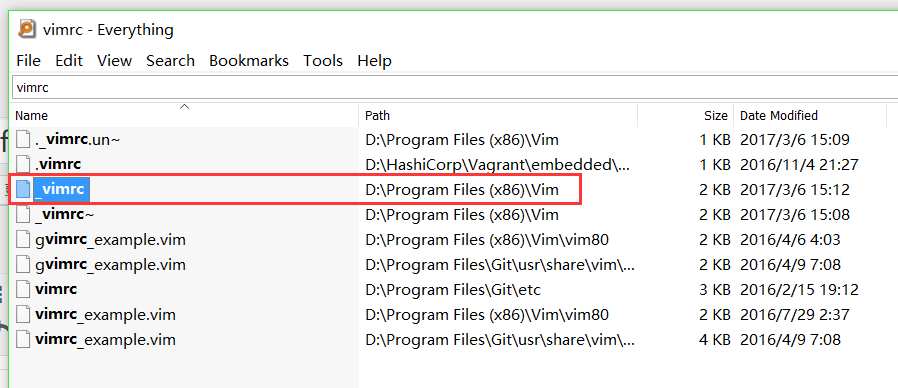
通过 everything 软件可以找到 _vimrc 文件路径,往往在安装目录里.
1:查找文件所在目录:
2:追加内容:
if has("gui_running")
	set encoding=utf-8
	set fileencodings=utf-8,chinese,latin-1

if has("win32")
	set fileencoding=chinese
else
	set fileencoding=utf-8
endif

let &termencoding=&encoding

source $VIMRUNTIME/delmenu.vim
source $VIMRUNTIME/menu.vim

language messages zh_CN.utf-8
endif
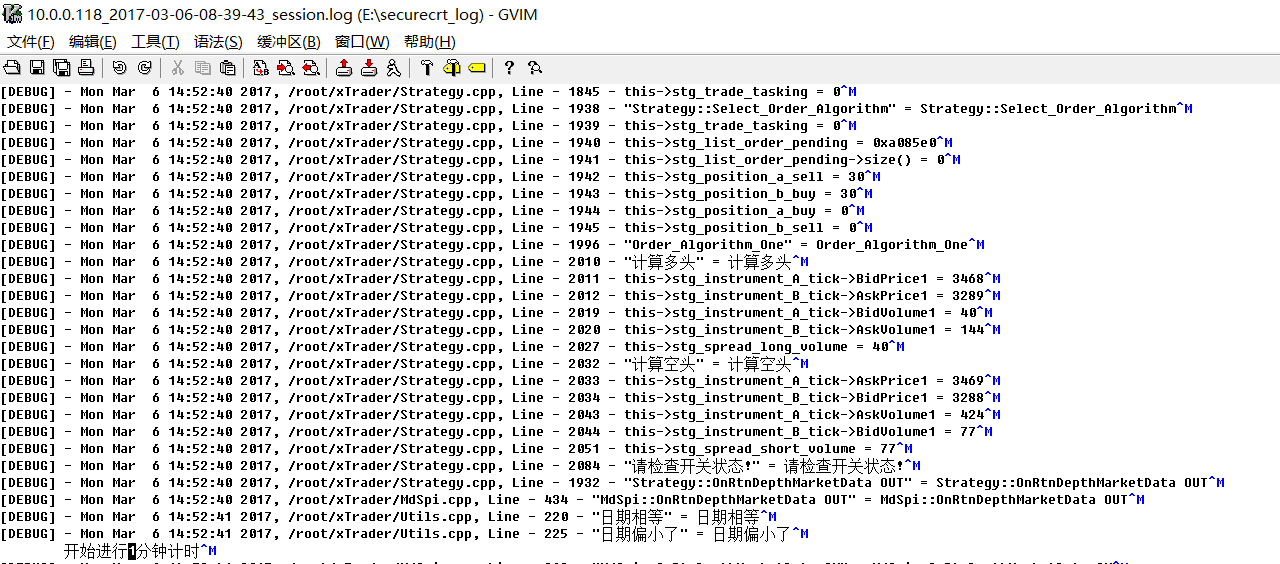
这样子再打开,效果就好多了,没有乱码了,可以正常显示中文.
参考:https://fukun.org/archives/05021988.html
文章的脚注信息由WordPress的wp-posturl插件自动生成

 微信扫一扫,打赏作者吧~

![[整理]sublime text3定义快速代码块模板](http://www.jyguagua.com/wp-content/themes/begin/timthumb.php?src=http://www.jyguagua.com/wp-content/uploads/2020/12/1.png&w=280&h=210&zc=1)
![[已解决]win10 bitlocker解除,移除锁感叹号](http://www.jyguagua.com/wp-content/themes/begin/timthumb.php?src=http://www.jyguagua.com/wp-content/uploads/2020/12/Snipaste_2020-12-03_19-59-28.png&w=280&h=210&zc=1)
